 3dtoolkit.app
3D logo generator — runs in your browser
Free 3D logo generator right in your browser
Upload a mark or type a wordmark. Extrude it, light it, dress it in 13 curated finishes — export PNG, GLB, OBJ, STL or video. Nothing to install, nothing uploaded to a server.
What is 3D Toolkit?
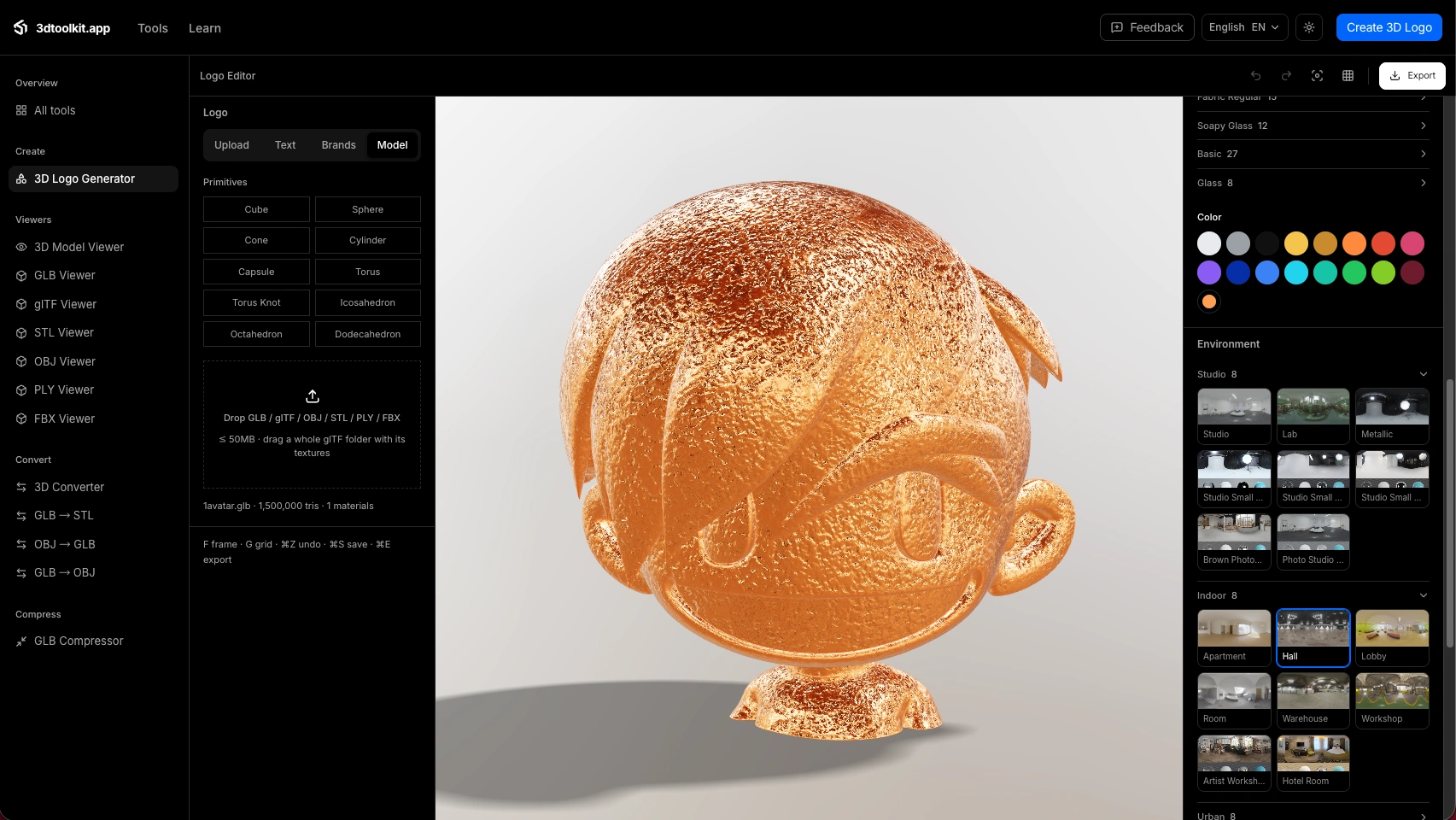
3D Toolkit is a free, browser-based 3D logo generator and on-device 3D file toolkit. It turns an uploaded mark or a typed wordmark into a lit, textured 3D scene — 13 PBR material presets, 20 HDRI lighting environments, 10 typefaces — and exports PNG renders up to 4096px, 1080p turntable video, GLB, glTF, OBJ or STL. A six-format viewer suite, a 25-pair converter and a Draco/Meshopt GLB compressor round it out. Every step runs locally via WebGL; your files never leave the device.
01 — Showcase
Same editor, four finished marks.
Every card below is rendering live in your browser — orbit any of them. One editor, materials from polished metal to crystal glass.
A — Polished silver
Tesla in polished silver
Tesla mark in polished silver metal, storm-burst fantasy light, slow spin.
B — Crystal glass
Spotify in crystal glass
Spotify mark in crystal glass, rainbow-bloom fantasy light, gentle rock.
C — Glossy plastic
Facebook in glossy plastic
Facebook mark in glossy plastic, clear-sky light, floating.
D — Disco mirror
Instagram in disco mirror
Instagram mark in faceted mirror metal, crystal-towers fantasy light, tumbling.
Brand icons via simple-icons — trademarks belong to their respective owners; shown here as material demos only.
02 — Materials
3D logo materials that catch light.
Physically-based presets — metalness, roughness, transmission, iridescence — lit by 20 real HDRI environments. Texture comes from the preset; color comes from you, and the two never touch.
Metal family — 3 presets
Polished, brushed, forged
Mirror polish to machined grain — stays unmistakably metal in any color.
Color × texture
This gold is just a color
Texture comes from the preset; the gold comes from the color picker — any hex works.
Cracked glass
Real refraction and transmission
Glass that behaves like glass — light bends through the extrusion.
10 categories · 13 curated presets · one color, fully yours
03 — Workflow
How to make a 3D logo.
01
Bring a mark
Drop a PNG, JPG, GIF or SVG — vector stays vector — or type a wordmark in one of 10 typefaces.
02
Shape the light
Depth, bevel, material, environment, motion. Every change renders live while you drag.
03
Export everywhere
PNG renders, GLB / GLTF / OBJ / STL meshes, or an MP4 turntable. Free tier, no signup needed.
04 — Generate
Generate turns a photo or a prompt into a mesh.
Everything runs on your device — heightfield tracing for photos, procedural geometry for prompts. Credits keep the queue fair; free accounts get 204 every month.
From a logo photo
Photo → relief mesh
Upload any logo photo. The tracer reads silhouettes and depth, then builds a watertight mesh you can orbit, refine and export as GLB.
From a prompt
Prompt → procedural mesh
Describe a figure, an object or a texture. The generator builds procedural geometry on-device — no queue, no upload, results in seconds.
05 — File tools
Open or convert a mesh in the browser.
3D converter
GLB · OBJ · STL · PLY, converted locally
Drop a mesh, preview it, download in another format. Files never leave your machine. FBX opens for preview.
Convert a file →
GLB viewer
Orbit, zoom and play clips in this tab
A full glTF viewer — animations, PBR materials, environment lighting. Also reads OBJ, STL and PLY.
Open the viewer →
06 — All tools
Every tool, from generate to convert — all on-device.
The carousel lines up the whole workbench. Click any tool to open it.
Drag, scroll or use arrow keys to roll · click a tool to open it
08 — In the wild
Where a 3D logo actually ships.
Launch sites & app icons
A chrome mark spinning above the fold says more than any hero copy. Export a transparent PNG for the icon grid, an MP4 for the launch tweet.
Video & packaging
Gold stamps on a black card, glass wordmarks in a channel intro. STL goes straight to a CNC or a print partner for real embossing.
09 — Styles
3D logo styles.
Chrome & liquid metal
Mirror finishes, forged textures, mercury flow — the default tech-brand look.
Gold & warm metal
Solar gold, brass, rose gold and copper for stamps, seals and luxury.
Crystal glass
Transmission and refraction — clear, frosted, diamond-cut and tinted.
Holographic
Iridescent films, oil-slick shifts and prism foils that change with the light.
Brushed & machined
Anisotropic brushing, plates, corrugation — the workshop aesthetic.
Cosmic gradient
Six two-tone fades plus galactic noise maps for soft, modern marks.
Ready when you are
Make one in the browser.
10 — Reference
Go deeper.
The studio is the tip. Underneath it sits a full reference of materials, lighting, formats and workflows.
11 — References
Built on open standards.
The formats and engines this toolkit speaks are public specifications and open-source projects. Primary sources:
- glTF 2.0 Specification — Khronos Group
- WebGL Specification — Khronos Group
- three.js (MIT License) — Ricardo Cabello (mrdoob) and contributors
- Draco 3D Data Compression Library — Google
- meshoptimizer — Arseny Kapoulkine
- Open-license typefaces (SIL OFL) — Google Fonts
12 — FAQ
Questions, answered.
Is it really free?
+
Yes. The full editor, all 13 materials and 20 environments, and every export — PNG up to 4096px, 1080p video, GLB, glTF, OBJ and STL — is free, with no watermark and no account required.
Do I need to install anything?
+
No. Everything — tracing, extrusion, rendering, export — runs in your browser with WebGL. Your files never leave your device.
Which file formats can I upload?
+
PNG, JPG, GIF and SVG up to 10MB. SVG stays vector-perfect; bitmaps are traced into clean silhouettes automatically.
What can I export?
+
PNG renders, GLB and GLTF for the web, OBJ and STL for 3D printing or CNC, and MP4 video turntables.
Can I use the output commercially?
+
Yes — everything you make is yours, on every plan including Free.
Does Generate upload my photo?
+
No. This build runs the entire pipeline on your device — heightfield tracing and procedural geometry, locally.
How do I share a design?
+
Every editor state can be serialized into the URL — copy the link and anyone can open the exact same scene.
Which typefaces are included?
+
Ten: Outfit, Oswald, Montserrat, Archivo, Bebas Neue, Anton, Russo One, Orbitron, Black Ops One and Pacifico.
Is there an API?
+
Not yet. Everything is client-side today; an API is on the roadmap for teams.